SHIPPING
Ship Your Packages with Trop Box
How To Ship With Trop Box
Step One
Create a Tropical Shipping account
- Go to https://tropical.com to register
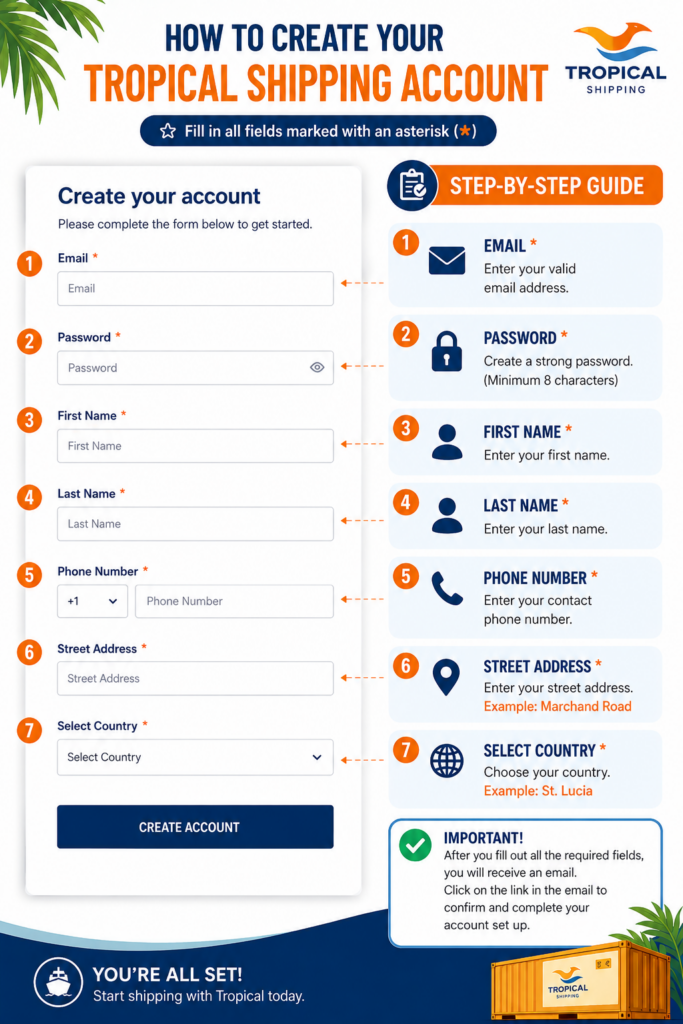
- Fill out the required Information (Only fields with asterisks, see example form on the right.
- Create Account
- You will receive an emal, click the link in the email to complete your account.
Step Two
Get your Trop Box Number
- Go to tropical.com
- Login in with your email and password
- Click MY Account in the left menu
- Click Adresses and Trop Boxes
- Make note of your Trop Box number at the top of the page
- Click on My Account again in the left menu
- Check Manage Event Notifications
- Check the cargo received notification option
Click the button to create a Tropical Shipping Trop Box Account.
About Trop Box
Trop Box is Tropical Shipping small package service
How it works
- Signup for a tropical shipping account
- Get your Trop Box number
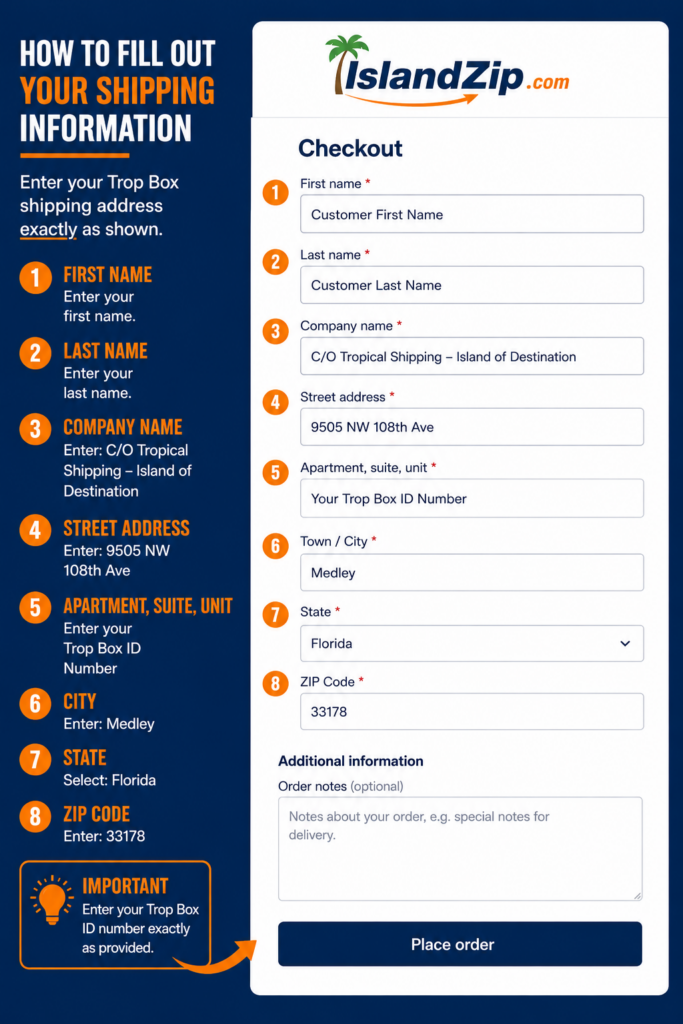
- Shop on island Zip and enter your address as shown on the right at checkout
- You will receive a cargo received notification (must request)
- Upload your invoice to invoices@tropical.com
- Once your invoice is received your package will set sale to
How to use your Trop Box number to shop on Island Zip
Once your Tropical Shipping account has being created and you have your Trop Box number, You can use your Trop Box number to shop at Islandzip.com. At the checkout enter your Trop Box US address exactly as shown in the form on the right. All packages are shipped FREE from Island Zip to your US mailing address. Payment for shipping to St. Lucia is paid by the buyer in St. Lucia.
How To Use Your Trop Box Number When shopping at Island Zip